
Table of Contents
EB Guide
kick start: P27 - P35: Jump between different screen using Transition
Concepts
- Widget: Any object in the view state? could be image, could be text (called “label”)
- State: means the “state” of the machine. Such as initial state, view state.
- View: is also a widget, resident under view state.
- image: is also a widget.
- transition: watch for a trigger signal. Trigger signal could be send from a image, etc.
- Model elements: 概称,大概是指放在Navigation menu中的所有东西
- VTA: view transition animations
- Model and Appication: use datapool to communicate. Model is the stuff made in EB guide. Application is something outside? so the datapool act as a API?
- Datapool: Act as an API. But also used to store data which is only used in either EB guide model or applications.
- Events: a user operate event. e.g.
ev:"turn_on"()in the Touch released Widget feature properties. An event could contain parameters.
Model elements (showed in the navigation bar)
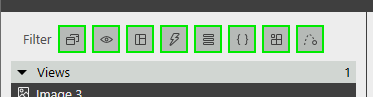
- State
- View
- Templete
- Event
- Datapool Item
- Script
- Property
- Transition Animation
Use image file as button.
- Add image files to the $GUIDE_PROJECT_PATH/<project name>/resources directory
- Use image files the same way like shapes.
EB guide supports 9-patch images (P65)
Display Overlay Window (Dynamic State Machine)
- Q: What's the meaning of checkbox “Dynamic state machine list”? A: Checking it will make the object able to be stack dynamic machine on.
3D file
Only the OpenGL ES version 2.0 or higher and DirectX 11 renderers can display 3D graphics. The supported 3D graphic formats are COLLADA (.dae) and Filmbox (.fbx). For best results, use the Filmbox format.
It is possible to import 3D graphic files in EB GUIDE Studio. After you have imported a 3D graphic file in EB GUIDE Studio, in $GUIDE_PROJECT_PATH/<project name>/resources, you find a subdirectory. Meshes as defined in the 3D graphic file are imported as .ebmesh files. For details, see section 6.1.3, “Import of a 3D graphic file”.
Task: research if there is an easy way to convert .ebmesh (or .jt? can't remember) files to .fbx files.
Script Language
When to use? to fire events when click image, etc. to write datapool items. to modify widget properties.
namespace
- ev: events
- dp: datapool items
- f: user-defined actions (foreign functions)
- v: local variables
Access the properties of widget
If a script is part of a widget, it can access the properties of that widget. EB GUIDE Script creates a variable called v:this to access the properties using the dot notation